Why does a course that thousands of employees completed leave no trace on the work they do afterward?
Ask the L&D team, and you'll hear about engagement, course length, or the platform. Ask the learners, and the honest answer is usually that nothing was ever checked. Nobody confirmed the objectives matched the job. Nobody verified the quiz measured the right thing. Nobody looked at what happened on the floor three weeks later.
A training checklist sample is the cheapest correction available. Not the compliance artifact stapled into a file, but a working quality-control tool that names each step, the person responsible, and the evidence that it happened. Pilots and surgical teams treat checklists this way: short, sequenced, and used every single time.
The eight samples below cover the full lifecycle, and each one is a distinct archetype rather than a cosmetic variation on the same form.
- Design phase: the ADDIE build checklist and the expert knowledge capture checklist.
- Delivery phase: onboarding, compliance, equipment operation, surgical team training, and launch quality assurance.
- Evaluation phase: the Kirkpatrick measurement checklist.
Table of Contents
- Where the design checklist earns its keep - The three tracks - What the record must contain - Why it works as a training model - Build it for both audiences - The two checks everyone skips - The level everyone abandons - One idea per lesson1. Instructional Design and Course Development Checklist (ADDIE-Based)
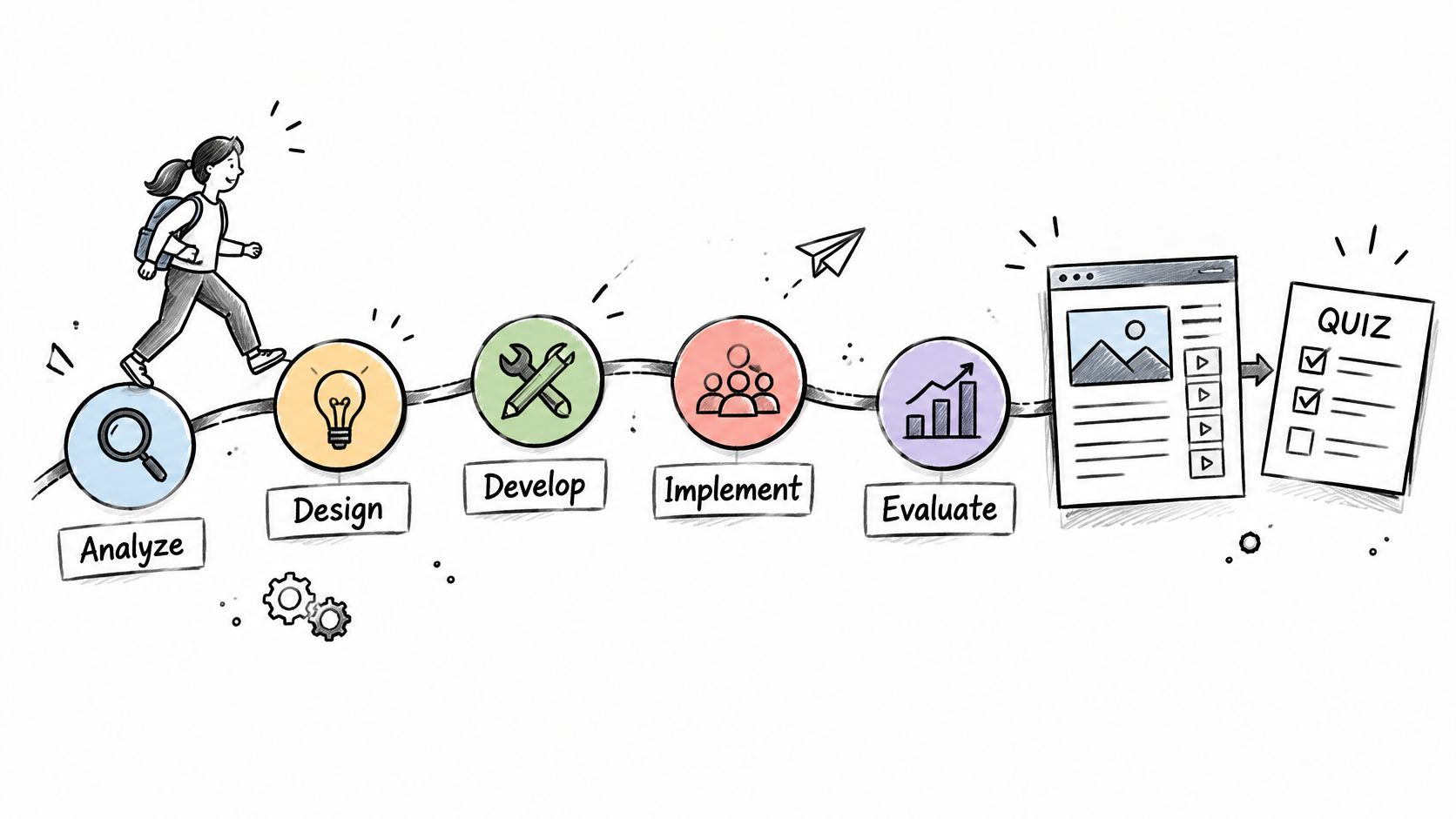
Most courses fail here, months before a learner sees them. Someone starts drafting lessons before anyone has agreed what a graduate should be able to do. The ADDIE checklist locks in that sequence.
Analysis names the performance gap, the audience, and what learners already know, including the misconceptions they bring. Design converts that into measurable objectives and a module map, one objective per lesson. Development produces the content and the assessments that test those objectives. Implementation is the pilot. Evaluation is the data review that feeds revision.
Where the design checklist earns its keep
Alignment. Every quiz question traces back to a stated objective, and every objective traces back to something a person does at work. When those three don't line up, learners pass the quiz and still can't perform.
> Design rule: if you can't finish "after this course the learner will be able to..." with an observable verb, don't start building. "Understand" and "appreciate" fail that test every time.
A controlled aviation training study shows what a feedback loop is worth. Participants lifted correct checklist actions from an average of 22.2 items at baseline to 39.2 of 40 by the final session, and the gain held after the feedback was withdrawn, as reported in the PMC aviation training study. Treat that as a build instruction: record every item as correct, omitted, or wrong, surface the highest-error steps, and repeat until performance clears a threshold.
A university developer building a six-module statistics course drafts objectives first, then checks quiz pass rates after the first term and rewrites the items most of the cohort missed. A coach converting a 12-week program to self-paced study maps each lesson to one objective and one quiz question before recording anything.
- Objectives before outlines: write them first, then test generated or drafted lessons against them.
- One mapping sheet: a spreadsheet with objective, lesson, and quiz item beats a 40-page design document.
- Pilot with three to five learners: review active time and quiz scores before wide release.
- Schedule the revision review: 30 to 60 days after launch, when the first real data exists.
2. New Employee Onboarding Checklist
!A friendly female team member holding a checklist for her first month in a new role.
Onboarding is the one program every employee takes, and it's usually the least structured. It also carries real budget. Organizations allocated 13% of their training budgets to onboarding in 2024, according to Training magazine's 2024 Training Industry Report. Spending that without a checklist is how you pay twice.
A usable onboarding checklist runs three tracks that share one record.
The three tracks
- Administrative: paperwork, payroll, system access, equipment. Owned by HR and finished before day one wherever possible.
- Mandatory: policy acknowledgements, safety, data security, code of conduct. Quiz-gated with a stated passing threshold.
- Role-specific: the tasks the person was hired to do, taught by the manager or a named buddy with a sign-off.
> Keep mandatory items in their own section. Once optional reading sits in the same list as a legal acknowledgement, completion status stops meaning anything.
Say a regional logistics firm hires drivers in small batches every quarter. The checklist assigns one named owner for week one, so every question gets answered the same day, and the manager signs off on the yard walk-through before the new hire drives alone.
- Separate mandatory from optional: two sections, two completion states.
- Gate each module: a short quiz with a documented pass mark.
- Add a manager sign-off: self-reported completion is the weakest evidence you can collect.
- Review quarterly: onboarding content goes stale faster than any other course.
3. Annual Compliance Training Checklist
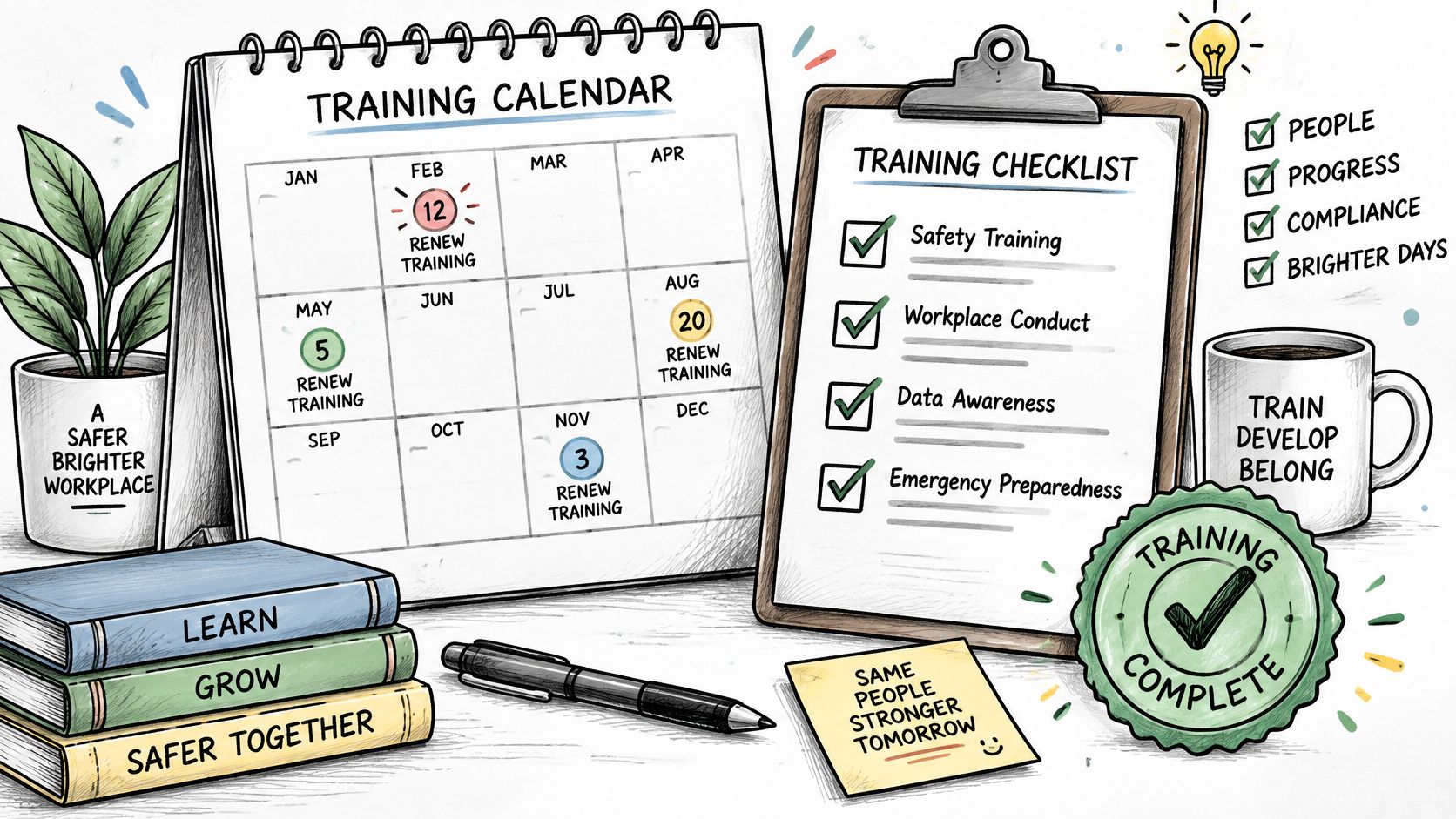
Compliance training has a job most training doesn't: it must survive an audit two years later. The checklist records not just what was taught but who delivered it, when, to whom, at which version, and with what result.
What the record must contain
- Scope by role: which topics apply to which job families, so nobody gets generic filler and nobody misses a required module.
- Frequency and trigger: annual refreshers plus event triggers such as new equipment, a new chemical on site, or a promotion into a supervisory role.
- Passing score and retake policy: written down before the first cohort starts, not negotiated afterward.
- Evidence: completion date, score, course version number, and the assessment items the learner saw.
> An auditor doesn't ask whether people feel safer. They ask who was trained, on which version of the content, and on what date.
A manufacturing firm assigns a yearly safety refresher, uses quiz scores to flag weak areas by site, and exports SCORM packages so completions appear in its compliance report without manual reconciliation. Specialist topics often arrive as third-party content, which is where a provider such as DEA controlled substances training fits into the picture. Your checklist's job is to record that a named employee finished it.
Confirm exact legal requirements with counsel before you set frequency and content, keep version numbers on every course, and never let a completion report exist without the assessment result that sits behind it.
4. Surgical Safety Checklist (Clinical Team Training Model)
Three pause points structure the whole thing: before anesthesia, before incision, and before the patient leaves the operating room. Each pause is short, spoken aloud, and owned by a named role. That's the archetype worth stealing, whatever industry you work in.
The World Health Organization launched the Surgical Safety Checklist in 2008, piloting it across eight hospitals on several continents, with results published in the New England Journal of Medicine in 2009. In that pilot, researchers collected data from 3,733 patients before implementation and 3,955 afterward. Major inpatient complications fell from 11% to 7%, and inpatient deaths following major operations fell from 1.5% to 0.8%, which the WHO Safe Surgery FAQ describes as deaths and complications decreasing by more than one-third overall.
Why it works as a training model
The checklist changes who speaks. A nurse confirming the patient's identity isn't deferring to the surgeon; the form gives them a legitimate reason to interrupt. Training has to rehearse that social move, not just the words on the card, which is why clinical programs run the pause points in simulation before students meet real patients.
> "The checklist doesn't fail because it's long. It fails because nobody owns the pause."
- Train the whole team together: a checklist rehearsed by one role in isolation collapses in the room.
- Keep items short and observable: a question you can answer by looking beats one you have to interpret.
- Rehearse in simulation first: practice the interruption, including the awkward version.
- Audit completion and ask the team: the people using it know which items have gone stale.
5. Equipment Operation and Pre-Use Inspection Checklist
In 1935, Boeing's Model 299 bomber was evaluated in a U.S. Army Air Corps competition. The aircraft was more complex than its predecessors, and an experienced crew failed to complete the demonstration safely. Boeing's answer wasn't a simpler aircraft. Its specialists wrote normal operating checklists covering takeoff, flight, and landing, and twelve Model 299s subsequently flew 1.8 million miles without a serious accident, as Boeing's account of checklist history records.
That history explains the dual role this checklist plays. During training it's a teaching script, walking a learner through inspection, preparation, and startup in the correct order. On the job it's a memory aid for someone who has done it a thousand times and is now tired, rushed, or distracted.
Build it for both audiences
Sequence matters more than completeness. Inspection, fluid or power check, safety guards, startup, shutdown. If a step can be skipped without anyone noticing, the checklist needs a physical confirmation attached to it, a gauge reading, a tag, a signature.
A manufacturing company turns its forklift pre-use inspection into a short video course with one quiz question per inspection point, then requires a supervisor practical assessment before issuing an operator certificate. The written standard operating procedures feed the script, and the checklist feeds the assessment.
- Pair each step with a visual: a photo or eight-second clip showing what "correct" looks like.
- Add a supervisor sign-off: the quiz proves recall, the practical proves competence.
- State the reason for each step: learners follow rules they understand and shortcut rules they don't.
- Version-control visibly: retire old cards from the shop floor the day the revision lands.
6. Course Launch and Publishing Quality Assurance Checklist
When did you last open your own course on a phone, on mobile data, with the sound off? Most launch failures are found by learners, in public, on day one.
A pre-launch checklist confirms four things before anyone enrols: the content is accurate, the media plays, the assessment scores correctly, and the completion data reaches wherever it needs to go. It also covers the checks people skip because they're boring.
The two checks everyone skips
Accessibility and AI governance. A 2025 workplace study found that while 31% of companies claimed to have AI training programs, only 12% offered structured training with thorough coverage (Sogolytics AI at Work study). The same gap shows up in course design. Accessibility gets tested last, if at all.
- Accessibility pass: captions, narration transcripts, heading structure for screen readers, keyboard navigation, colour contrast, and an alternative for every drag-and-drop activity.
- AI content review: a named human reviewer confirms accuracy, flags hallucinated claims, checks bias in examples, and records acceptable-use and privacy rules for learner data.
- Distribution test: run the hosted link, the embed, the PDF, and the SCORM package in the environment learners use.
A corporate L&D team runs a pilot package in its own LMS before releasing to 2,000 employees, confirming that completion and quiz scores populate the admin report. An independent creator tests the hosted link on mobile and desktop, checks narration plays, and turns on learner identification before opening a paid cohort.
Keep a launch log with version number, reviewer names, and date. When something breaks six weeks later, that log is the difference between a fix and an investigation.
7. Kirkpatrick Training Evaluation Checklist
A satisfaction survey is not an evaluation. It measures whether people enjoyed the room, and it's the reason so many training programs can't defend their budget.
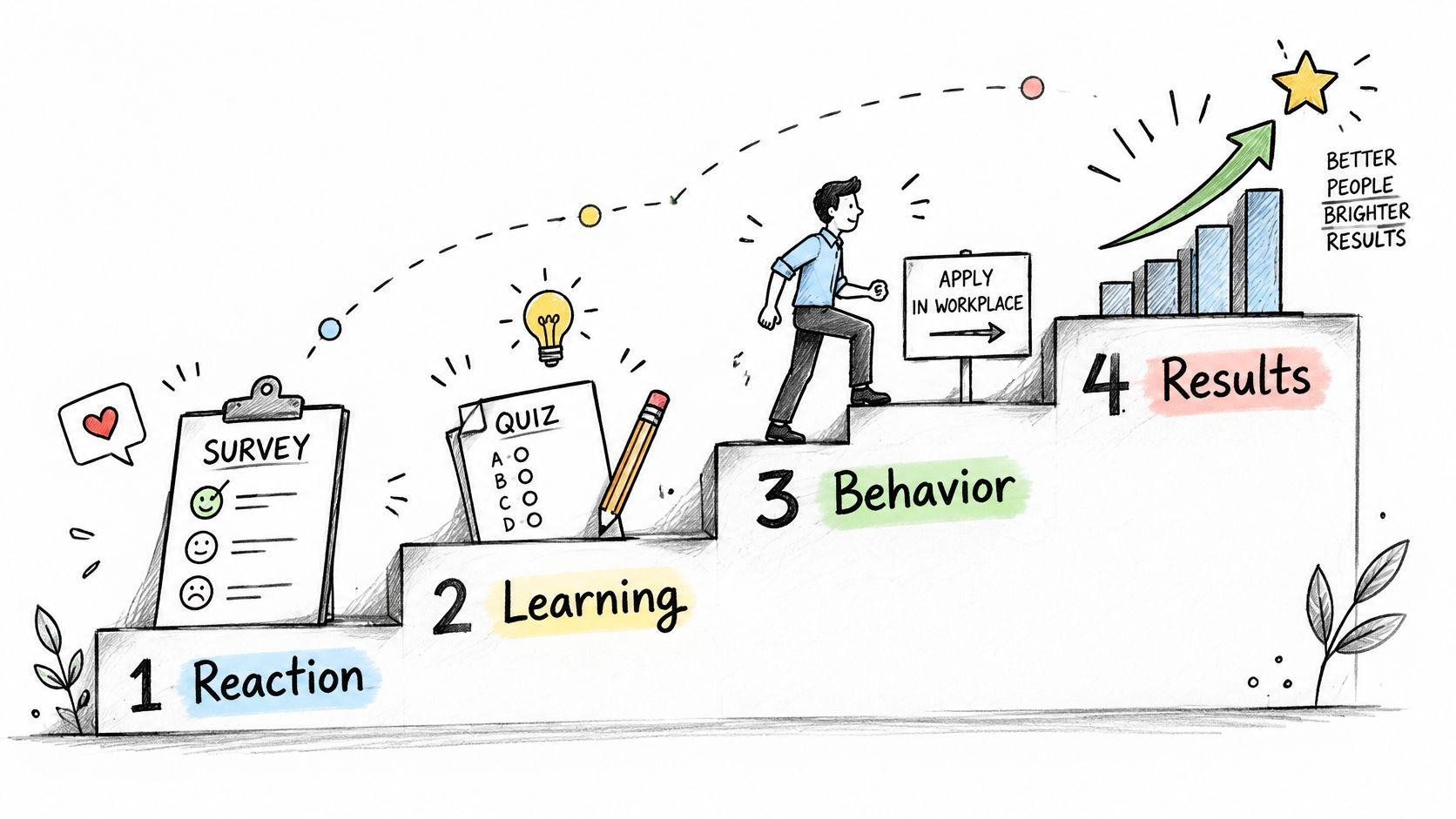
The Kirkpatrick model gives you four levels and a data decision at each one. Level 1, reaction: a short post-course survey on relevance and confidence. Level 2, learning: pre- and post-quiz scores, not final scores alone. Level 3, behavior: supervisor observation of the task in the workplace at a set interval. Level 4, results: the business metric the course was built to move.
The level everyone abandons
Level 3. Training transfer, the application of knowledge, skills, and attitudes at work, is where most programs stop, and the assessment instruments for measuring it are described as heterogeneous and fragmented, with no single standard approach dominating practice, per this review of training transfer assessment. The fix is procedural, not academic. Every checklist should carry a transfer plan naming the workplace behavior to observe, the manager or peer responsible for observing it, the follow-up date, the evidence required, and the business metric expected to shift.
It should also separate a knowledge problem from a process, resource, or motivation problem before prescribing more training. If the new CRM process takes eleven clicks, no course fixes that.
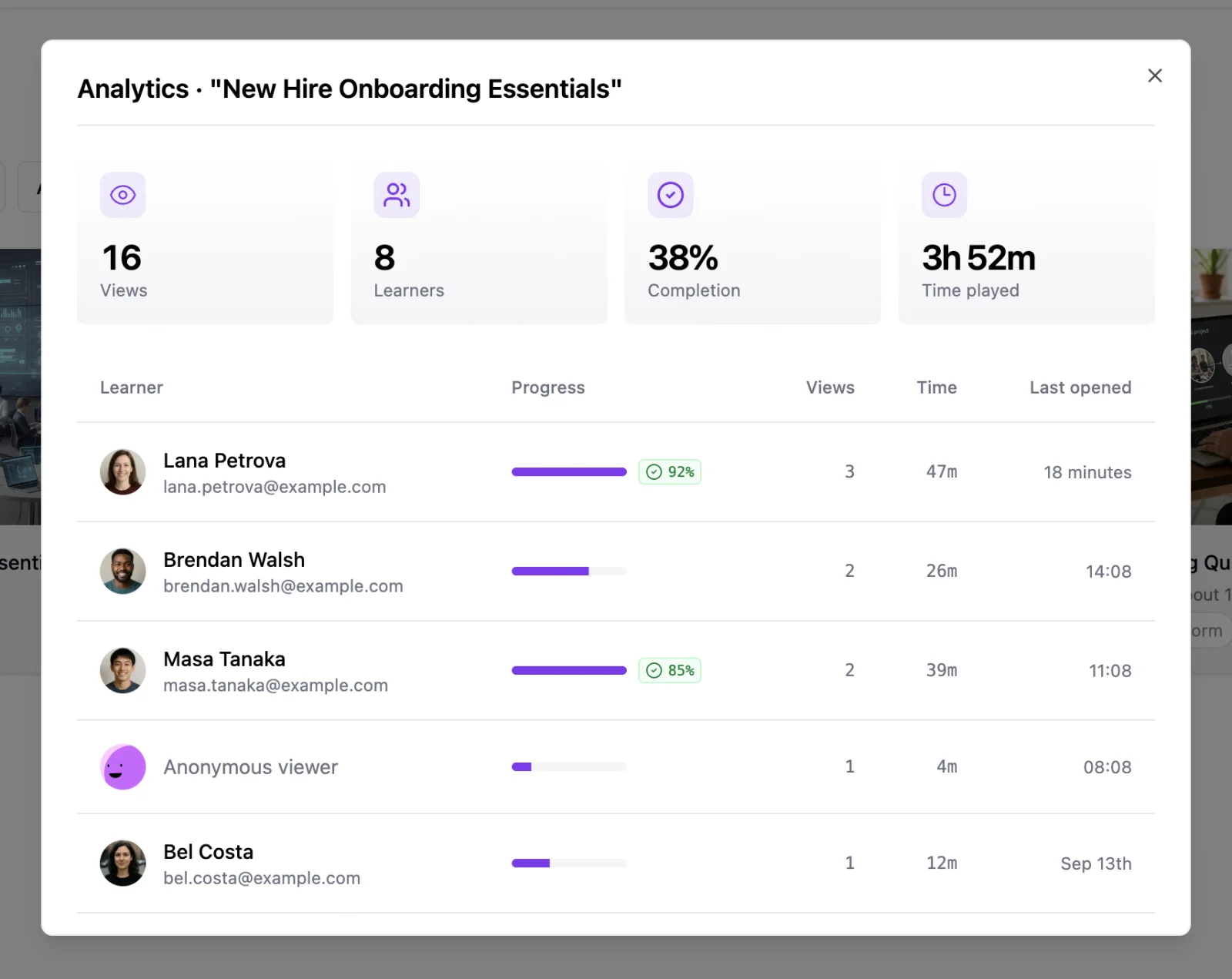
A sales organization uses learner analytics to see who finished the course and the quiz scores behind it for Level 2, then compares CRM conversion rates for trained and untrained reps over the following quarter for Level 4. A university program pairs end-of-course surveys with graded project quality and a follow-up survey of graduates' workplace application.
- Choose the Level 4 metric before the course is built: content targets it or it never moves.
- Collect at 30, 60, and 90 days: behavior change has a lag, and one checkpoint tells you nothing.
- Use a comparison group when you can: a different region, a later cohort, an untrained team.
- Write the decision rule: what result triggers a rewrite, a refresh, or retirement.
8. Expert Knowledge Capture and Course Outline Checklist
Your subject matter expert can explain it perfectly in a meeting and produce nothing usable on a page. That gap is the whole problem this checklist solves.
It runs five steps. Define the single learner outcome first. Inventory the source material you have, whether that's a Word file of workshop notes, a slide deck, a recorded interview, or a folder of transcripts. Extract the core concepts and cluster them into candidate lessons. Sequence the lessons so each one assumes only what earlier lessons taught. Assign the support each lesson needs: an example, a practice task, or an assessment item.
One idea per lesson
The most common failure in expert-created courses is the lesson that covers four ideas because the expert finds them equally fascinating. Learners don't. A lesson carrying one idea can be checked with one question; a lesson carrying four can't be checked at all.
A leadership coach uploads a Word document of workshop notes, reviews the proposed chapter outline, and then adds a short reflection question after each lesson before selling the course to clients. An independent creator converts a PowerPoint deck from a previous workshop into six lessons, using the checklist to confirm that each lesson has exactly one objective and one quiz question.
- Test the outline before production: a past client or learner reads it and names what each lesson promises.
- Cut anything that doesn't serve the outcome: interesting material is not the same as necessary material.
- Give every lesson a check: a question, a task, or a reflection prompt.
- Read the analytics after cohort one: active time per lesson shows where the structure lost people.
8 Training Checklist Samples Compared
| Item | Training Phase | Primary User | Best For |
|---|---|---|---|
| Instructional Design and Course Development Checklist (ADDIE-Based) | Analysis through evaluation | Course designers and instructors | Building aligned courses with measurable objectives and assessments |
| New Employee Onboarding Checklist | Pre-start through first 90 days | HR teams and managers | Tracking consistent onboarding, required training, and role-specific learning |
| Annual Compliance Training Checklist | Recurring training and renewal | HR and compliance teams | Assigning, documenting, and renewing mandatory training |
| Surgical Safety Checklist (Clinical Team Training Model) | Team practice and procedure delivery | Surgical teams and clinical educators | Practicing standardized safety checks and team communication |
| Equipment Operation and Pre-Use Inspection Checklist | Skills training and on-the-job reference | Trainers, supervisors, and equipment operators | Teaching and verifying safe, repeatable equipment procedures |
| Course Launch and Publishing Quality Assurance Checklist | Pre-launch and publishing | Course creators and L&D teams | Checking course accuracy, accessibility, tracking, and distribution |
| Kirkpatrick Training Evaluation Checklist | Post-training evaluation | Training teams and organizational leaders | Measuring learner response, learning, workplace behavior, and results |
| Expert Knowledge Capture and Course Outline Checklist | Course planning and outlining | Coaches, consultants, and subject-matter experts | Turning expertise and source materials into structured courses |
Build Your Own Checklist, Then Actually Use It
Eight archetypes, one decision rule. Diagnose the weakest phase of your training, pull the matching sample, and cut it down until it fits your work.
- Content misses the job? Start with the ADDIE build checklist or the expert capture checklist. Both force the objective before the lesson.
- Delivery is inconsistent or late? Onboarding, compliance, equipment operation, surgical team training, and launch QA each fix a different delivery failure.
- Nobody knows whether it worked? The Kirkpatrick checklist, specifically Level 3 and Level 4, is the only one that answers the question.
The failure mode isn't checklists that are badly written. It's checklists that get completed in a browser tab and never read again. Completion data that nobody reviews is worse than no data, because it manufactures confidence. Put the review on the calendar: a monthly completion sweep, a quarterly content review, and an annual audit of every mandatory item against the current policy.
> A checklist changes nothing when it's a document. It changes behavior when a person observes the work, records the result, and someone else reads the record on a schedule.
Practitioners who build these well treat the artifact as a contract between three people. The designer who wrote the step, the manager who confirms it happened, and the learner who has to perform it under pressure. Every template here is a different way of making that contract explicit.
Teams that want the checklist to live inside the course rather than beside it can build in LearningStudioAI, where an uploaded document becomes lessons, quizzes, and a hosted course link that tracks each named learner. That closes the loop from design to evidence without a second tool.
Start with one checklist this week. Pick the phase where your training is weakest, run it against your current program, and fix the first three gaps. A checklist only works when completion is observed, recorded, and reviewed on a schedule. Everything else is paperwork.
---
If your checklists keep ending up as untracked documents, LearningStudioAI turns them into finished courses you can measure. Upload a Word, PowerPoint, or PDF file and it builds lessons, quizzes, and narration you can edit, then publishes as a hosted link that records who finished, a PDF, or a SCORM package that reports completion and scores to your LMS. Visit LearningStudioAI to build your first tracked course.