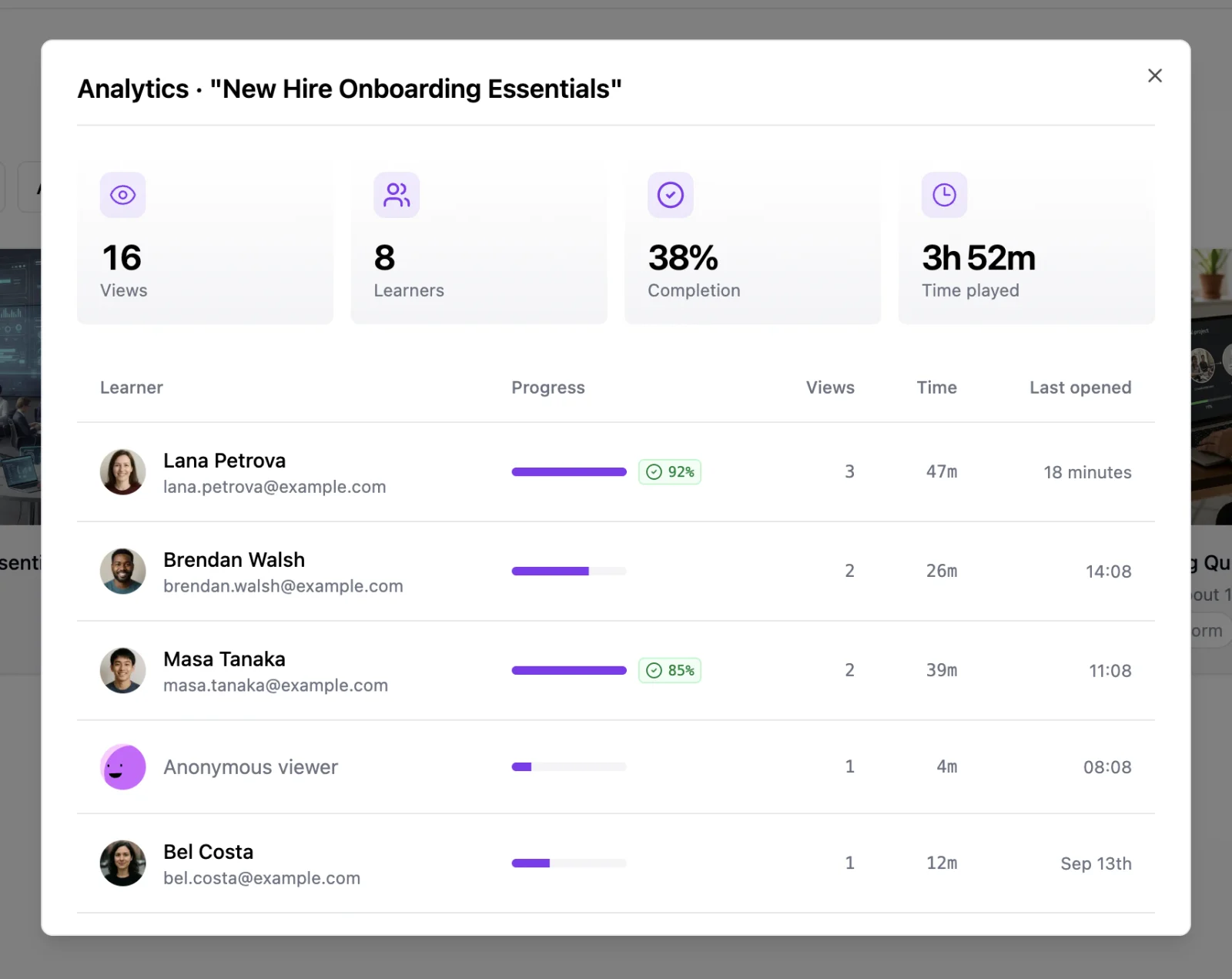
Share a course link and find out what happened next. Every course now has an Analytics view that answers the question creators ask most: did my learners finish, and what did they score?
- Open it anywhere: from the course card menu, the editor header, or the View analytics link in the Share dialog
- Course totals at a glance: views, learners, completion rate, and total time played
- One row per learner: progress bar, quiz score, views, time spent, and when they last opened the course
- Know who they are: switch the Share dialog's access setting to Requires identification and learners sign in (or create a free account) before viewing, so the table shows their name and email instead of "Anonymous viewer"
- Learners see it too: on identified courses, a thin bar above the course shows who is signed in, with a sign-out for shared computers
Learn more about learner analytics — how completion is measured, what learners see, and what happens to views from before tracking started.