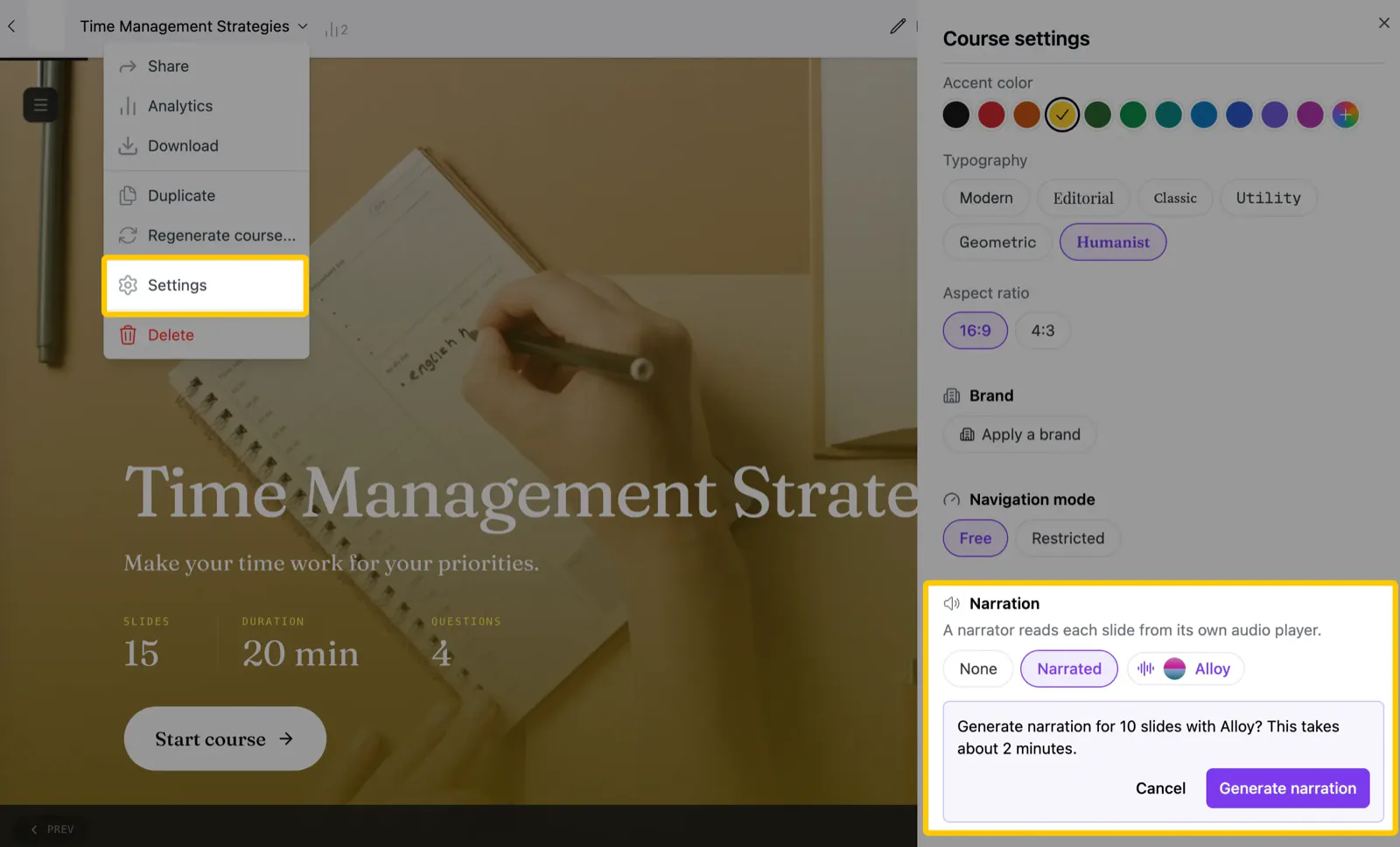
Created a course with narration off and changed your mind? You no longer need to regenerate it. Open Settings from the course menu in the editor and switch Narration to Narrated.
- One switch for the whole course: pick a voice, confirm the estimate, and the AI writes a script for every content section and generates the audio
- Watch it land: the settings panel shows "Narrating slide N of M" while audio players appear in your course one by one
- Finish later: close the tab mid-way and the panel shows how many sections are narrated, with a button to narrate the remaining ones
- Turn it off: switch Narration back to None to remove every clip from the course