Create online courses in seconds with an AI course creator
1391950
courses created
865084
unique authors
LearningStudioAI works as your AI course generator, AI course builder, SCORM course creator, and AI course outline generator. One tool for every step of the workflow.
How to create a course using AI
-
Step 1
Describe your topic or upload a file
Type what the course should teach, or upload a PDF, PowerPoint, Word or text file. See PDF to course.
-
Step 2
Review the outline
The AI proposes chapters and lessons. Rename, add or remove them before the lessons are written. See the AI course outline generator.
-
Step 3
Generate and edit the course
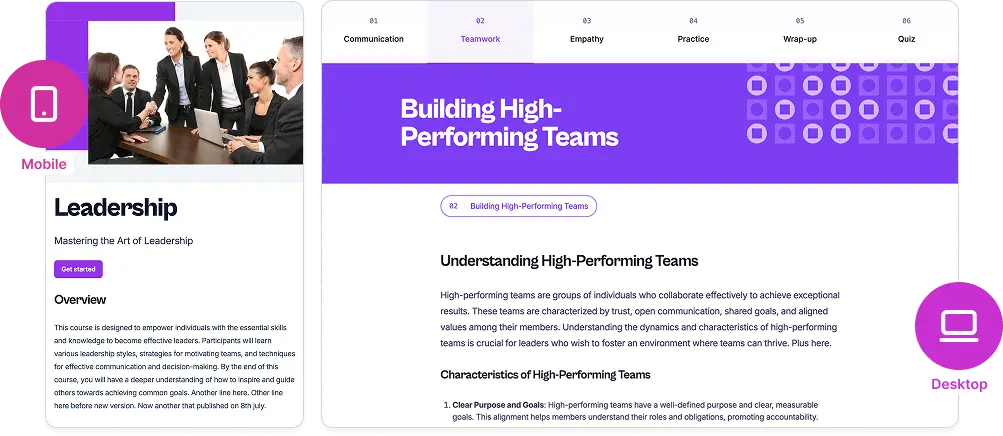
The AI course generator writes lessons, quizzes, images and narration. Change any block in the AI course builder.
-
Step 4
Publish it
Share a link that tracks each learner, download a PDF, or export SCORM 1.2 or 2004 with the SCORM course creator.
Want the details? Read the step-by-step guide to creating an online course with AI.
Guided course creation, step by step
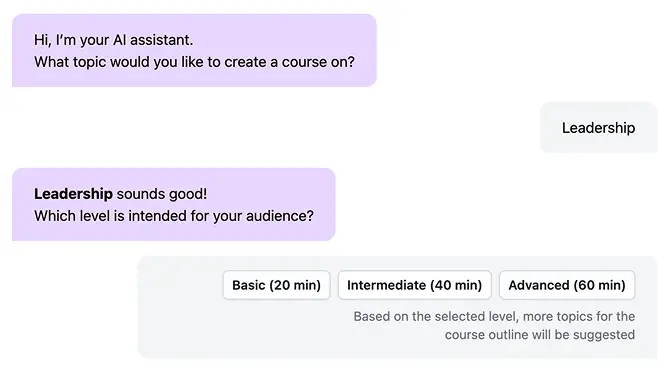
Just start by telling what your course is about. Our AI assistant guides you through every step, from defining topics to choosing your course format, quizzes, and recaps.
Turn your documents into courses
Upload a PowerPoint, Word, PDF, or text file — and our AI transforms your material into a structured course, saving hours of manual work.

Enhance and expand your course with AI
Built-in assistant, improves clarity, enrich content, and even grow your course with new sections automatically suggested based on context and learning flow.
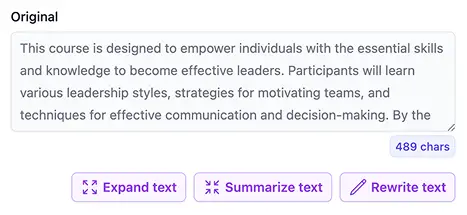
Edit with AI
Expand explanations, summarize long passages, or rewrite text for better tone and readability — all in one click.
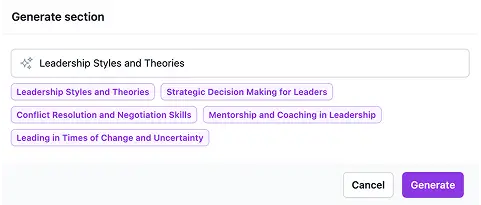
Add new section with AI
Let AI suggest and generate a complete new section that fits seamlessly into your course structure.
Bring your course to life with rich media
Make your lessons more engaging by adding videos, audio, and images anywhere in your course.
Video
Add videos from YouTube, Vimeo, and other streaming platforms, or upload directly.

Image
Upload your images or search for royalty-free visuals without leaving the editor.

Audio
Upload a file, record directly from your microphone, or use text-to-speech.
Share, track, or export your course anywhere

Share
Instantly share a link on WhatsApp, Telegram, LinkedIn, X (Twitter), or Facebook — or simply copy the link to send it anywhere.
Track
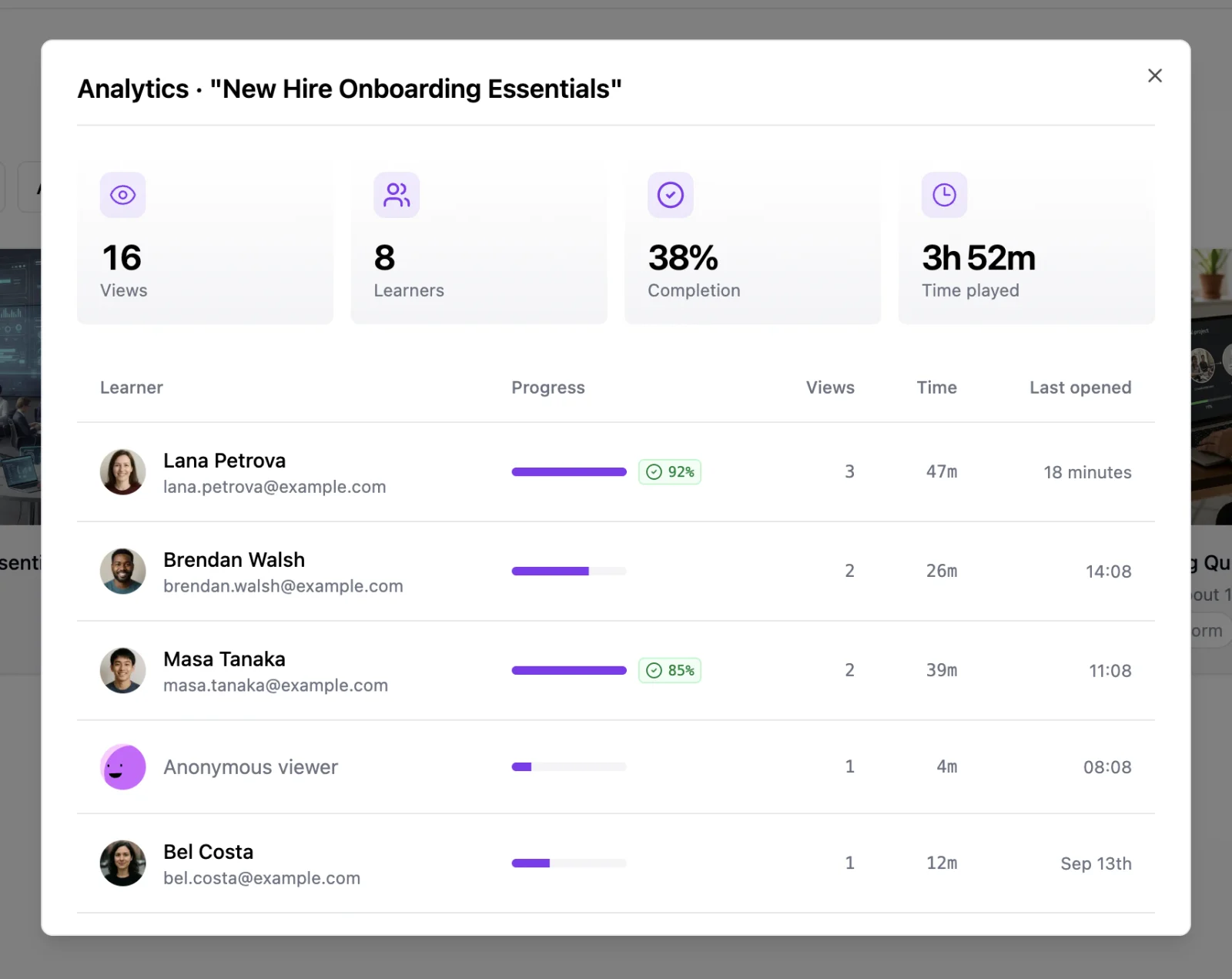
See who finished. Every shared course gets an analytics view with views, completion rate, time spent, and quiz scores per learner. Ask learners to identify themselves to see names and emails.

Download
Export your course as a PDF or SCORM package in one click. Perfect for uploading to your LMS or archiving offline versions.
Built for every kind of course creator
Whether you teach, train, or sell knowledge, LearningStudioAI adapts to your goals — giving you a faster, smarter way to create impactful learning experiences.
Universities & Educators
Convert your academic content into structured digital courses effortlessly — perfect for LMS distribution and distance learning.
Course Creators & Edupreneurs
Create complete online courses with AI-generated lessons, quizzes, and visuals — ready to sell or publish anywhere.
Corporate Trainers & HR Teams
Quickly build engaging onboarding or compliance courses — trackable, professional, and easy to update.
LearningStudioAI at a glance
- What it is
- LearningStudioAI is an AI course creator and eLearning authoring tool. It turns a topic, a PDF, or a document into a complete online course with lessons, quizzes, images, and text-to-speech narration, then publishes it as a shareable link that tracks each learner's completion and quiz scores without an LMS, or exports it as a SCORM package for any LMS.
- Who it's for
- Built for L&D and corporate training teams, educators, coaches, and course creators who need finished, publishable courses quickly rather than a blank-page editor.
- Learner analytics
- Learner analytics is built in and needs no LMS: the share link reports who opened the course, how far each learner got, active time spent, completion, and quiz scores per learner. A course setting can require learners to sign in before the course starts, so the owner knows exactly who finished. See how learner analytics works.
- Outputs
- Every course can be shared as a link, exported as SCORM 1.2 or SCORM 2004 for any LMS, or downloaded as a PDF. There is no HTML or xAPI export. Courses stay editable in a block-based editor after generation. Learn more about SCORM export.
- Languages
- Courses can be generated in 20 languages, including English, Spanish, Portuguese, French, German, Italian, Dutch, Polish, Japanese, Chinese and Arabic. Text-to-speech narration is available in 9 of them, with male and female voices. See narration voices.
- Accounts
- Authors sign in with Google or with email and password. Plans are per account, not per seat; there is no team workspace, SSO or SAML. Learners never need an account unless the author turns on the sign-in gate.
- Pricing
- Free to sign up and try the editor. AI course generation and the public API require a paid plan, starting at $39/month. See plans.
- Developers
- A REST API creates and exports courses programmatically, with webhooks and a Zapier integration. Read the API docs.
AI course creator FAQ
- What is an AI course creator?
- An AI course creator turns a topic or a document into a structured online course. LearningStudioAI writes the outline, lessons, quizzes, images and text-to-speech narration, and you edit the result in a block-based editor before publishing.
- How do I create a course using AI?
- Type a topic or upload a PDF, PowerPoint, Word or text file. Review and adjust the outline the AI suggests, generate the course, then edit any block, add quizzes, images or narration, and publish it as a share link, a SCORM package or a PDF.
- Which files can I turn into a course?
- You can upload DOC, TXT, PPT or PDF files, up to 60,000 characters per document on Starter, 240,000 on Pro and 500,000 on Enterprise.
- Can I export my course as SCORM?
- Yes. Courses export as SCORM 1.2 or SCORM 2004 packages for any compliant LMS, such as Moodle, TalentLMS or Docebo. You can also download a PDF or share a link.
- Can I see who completed my course without an LMS?
- Learner analytics is built in and needs no LMS: the share link reports who opened the course, how far each learner got, active time spent, completion, and quiz scores per learner. A course setting can require learners to sign in before the course starts, so the owner knows exactly who finished.
- Which languages are supported?
- Courses can be generated in 20 languages, including English, Spanish, Portuguese, French, German, Italian, Dutch, Polish, Japanese, Chinese and Arabic. Text-to-speech narration is available in 9 of them, with male and female voices.
- How much does it cost?
- Free to sign up and try the editor. AI course generation and the public API require a paid plan, starting at $39/month. Plans are per account, not per seat, and you can cancel anytime.
More questions? See the full FAQ.