A free afternoon, a topic you know well, and three browser tabs open on a hosting comparison page. That is where many blogs begin. Then the tabs multiply: one on domain names, one on a theme you like, one on a guide promising you can be live in twenty minutes.
Twenty minutes is possible. A blog you still trust a year later takes a handful of deliberate decisions in the right order, and almost none are about writing talent. Pick a platform you will not resent, narrow the topic until a stranger can repeat it back, and set a routine that survives week three.
New bloggers often lose months to the same small set of choices. I'd decide them in this order, with the trade-offs spelled out and a first-week routine you can keep. Judge the early work by reader action and search visibility rather than raw traffic: each post should answer one question briefly, then give that reader a clear reason to subscribe, bookmark, or come back.
Table of Contents
- The two rows most beginners actually weigh - Three questions that settle the niche - What narrowing looks like in practice - The four-part shape of a how-to post - Where AI helps and where it hurtsChoose a Blog Platform That Fits Your Goals
Blog platform types compared
| Platform type | Best for | Typical cost | What you control |
|---|---|---|---|
| Hosted platform (WordPress.com, Blogger) | Beginners who want no server setup | Free tier; paid plans roughly US$5-25 per month | Design and domain options depend on plan |
| Self-hosted WordPress.org | Bloggers who want full control and plugins | Domain about US$10-20 per year plus hosting about US$3-15 per month | Theme, plugins, code and data |
| Newsletter-first platform (Substack) | Writers building an email audience | Free to start; a percentage fee on paid subscriptions | Limited design; strong built-in audience tools |
| Static site generator (Hugo, Jekyll) | Developers comfortable with Git | Often free hosting; high setup time | Full control; no built-in editor |
Blogging has always been a publishing system first and a writing habit second. Links.net appeared in 1994, Jorn Barger coined "weblog" in 1997, Blogger opened publishing to a much wider audience in 1999, and the count climbed from 23 identified blogs in 1999 to roughly 50 million by mid-2006, as this history of blogging statistics records. WordPress, released in 2003, was estimated to power 43% of the web by 2022 by the same source. The lesson from that run isn't "use WordPress." It's that a blog needs a repeatable publishing system, reader interaction and easy distribution, not a single static page.
The two rows most beginners actually weigh
Self-hosted WordPress.org against a hosted platform is the first real decision. Self-hosting gives you the theme, the plugins and the database, and you pay for that with a domain renewal and a hosting bill every year. A hosted plan removes the maintenance and caps what you can change.
Substack is the other row worth a serious look if your audience will live in an inbox. You give up layout control and a slice of paid subscription revenue, and you get distribution and payments handled for you. Hugo and Jekyll are for people who already use Git and don't want a browser editor at all.
> Pick once: if you plan to sell a product or host a course later, choose a platform that lets you use your own domain and export your content cleanly, then commit to it for at least twelve months before you consider switching.
Pick a Niche and Reader Before Any Setup
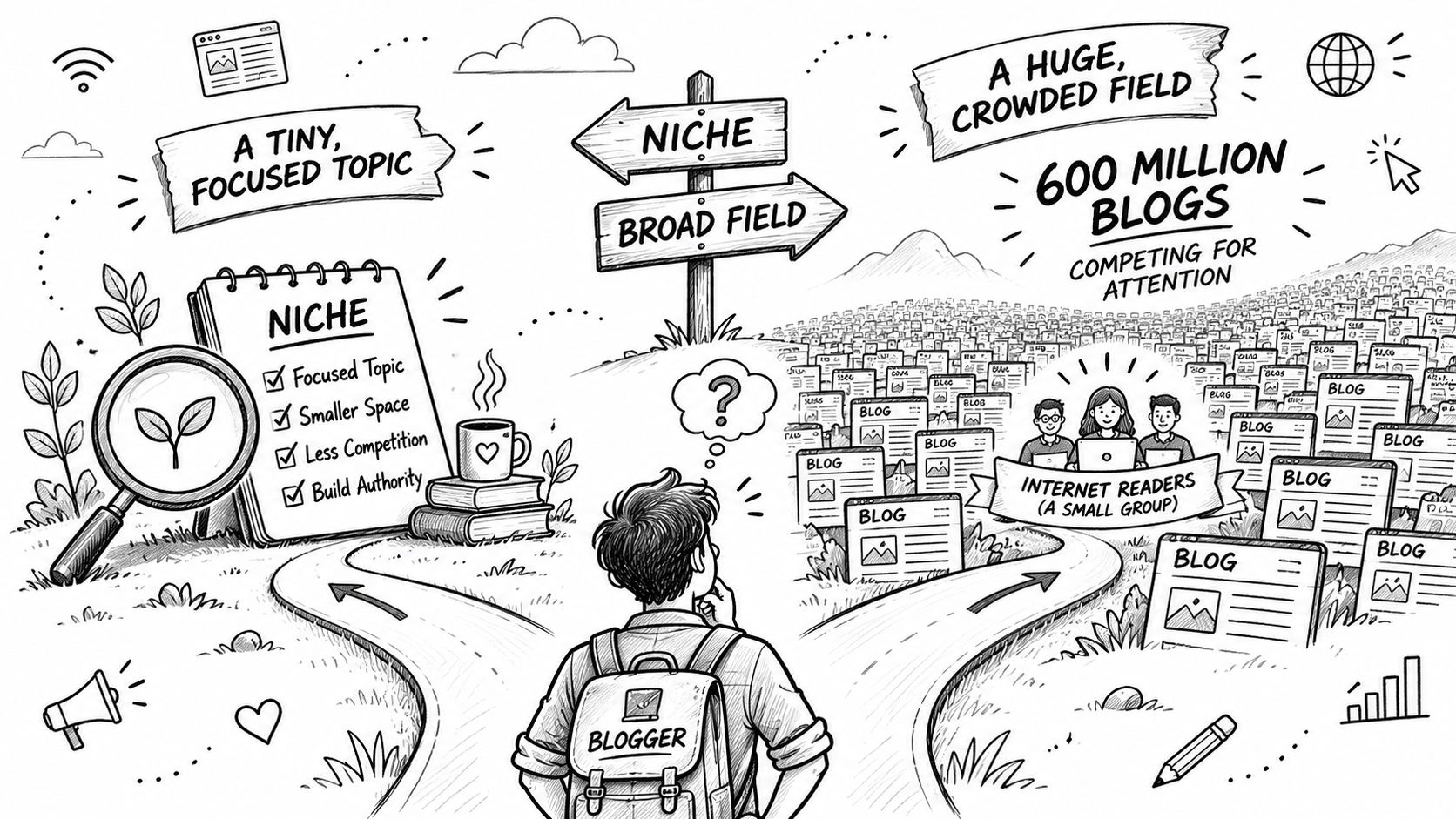
Narrowing feels like giving something up. It's the opposite, and the numbers show why. Industry estimates cited in this blogging 101 overview put regular blog readership at 77% of internet users, approximately 4.08 billion people, while more than 600 million blogs sit among roughly 1.9 billion websites. That's about 31.6% of all websites competing for the same attention.
The choice between a broad topic and a narrow one changes everything that follows.
!A person standing at a crossroads choosing between creating a niche blog or a broad field blog.
Three questions that settle the niche
- Who is the one reader I can help this month? Not a demographic. A person with a problem, such as a night-shift nurse who cooks at 6am and has twenty minutes.
- What will they finish after reading? If the answer is "feel informed," the post won't hold up. It should be a specific task: plan five freezer meals, file a claim, set up a portfolio page.
- Can I name twenty posts without researching for a week? Twenty titles is roughly three months of publishing. If you stall at eight, the topic is too thin or too far from what you know.
What narrowing looks like in practice
Take "cooking." Broad, unwinnable, and impossible to categorize. Now try "weeknight meals for shift workers." The titles write themselves: "Five meals you can cook at 6am and reheat at midnight," "A grocery list for people who work four nights on, three off," "Why your meal prep fails on the transition day."
The categories shift too. Four groups will hold a year of posts: reheat-friendly meals, batch cooking on a night shift schedule, gear that survives odd hours, and grocery runs at unusual times. A reader arriving on any post can see the whole blog in one glance at the menu.
If you're testing several directions at once, this guide to identifying profitable niches for SMBs walks through demand checks before you commit. And if the niche you choose is one you eventually want to teach, the same narrowing logic applies to turning your expertise into an online course with AI.
Write your topic statement in one sentence and paste it into your setup notes: "I write for [specific reader] who needs to [specific task], so they can [specific outcome]." Then confirm you have a named reader, three to five categories, ten candidate titles and a one-line blog purpose. Ten titles is enough to publish for two months at a weekly pace.
How to Set Up Your Blog Step by Step
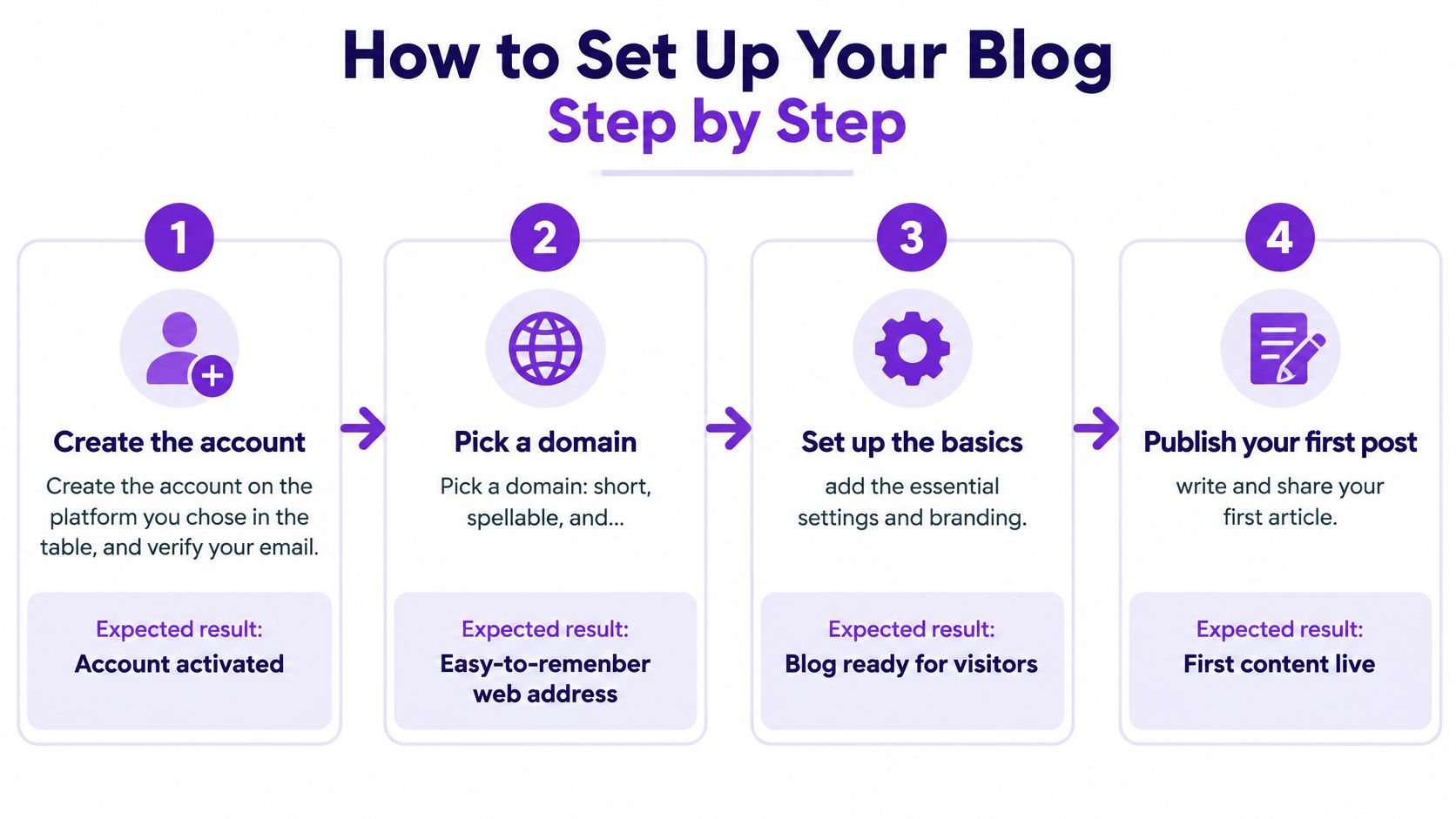
A blog how to create walkthrough usually skips the expected result, which is why people get stuck halfway and can't tell what broke. Every step below ends with something you can see.
1. Create the account and verify the email. Use the platform you picked from the table. Expected result: an activated account and a dashboard you can log into. The common slip is registering with an address you check twice a month and losing the verification mail. 2. Pick the domain. Short, spellable, tied to the niche, no numbers standing in for words. Check availability before you get attached to a name. Expected result: a web address you can say once on the phone and have someone type correctly. 3. Activate a responsive theme. Start with one of the default themes rather than a marketplace theme with fourteen plugins bundled in. Expected result: the front page loads on a phone with no sideways scrolling. The slip is leaving the theme's demo content visible, so your first visitor reads a sample page about a fictional bakery. 4. Set the site title and a one-line tagline. The tagline states who the blog helps, not what you feel about writing. Expected result: the browser tab, header and search listing all read consistently. 5. Create three pages: Home, About and Contact. The About page says who you are and why you write, in a paragraph. Expected result: a menu with three working links. The slip is an About page that lists credentials instead of telling a reader why they should stay. 6. Set permalinks to post name. Expected result: a new post URL ending in readable words. Leave the numbered default now and every link you've shared breaks when you change it later. 7. Turn on comment approval and a spam filter. Expected result: the first real comment waits for you and the bot comments don't. Open comments with no filter is how a new blog gets four hundred spam links in a weekend. 8. Publish a test post and open it on a phone and a desktop browser. Read it in both places, click every link. Expected result: a live URL, three pages and one published post.
Finished setup looks like this: a working domain, a responsive theme with no demo content, three pages in the menu, readable permalinks, moderated comments, and one post you'd be happy to send to a colleague. If you take the WordPress route, this step-by-step WordPress blog setup guide from Read More Info covers the dashboard screens in the order you'll meet them.
Write and Structure Your First Five Posts
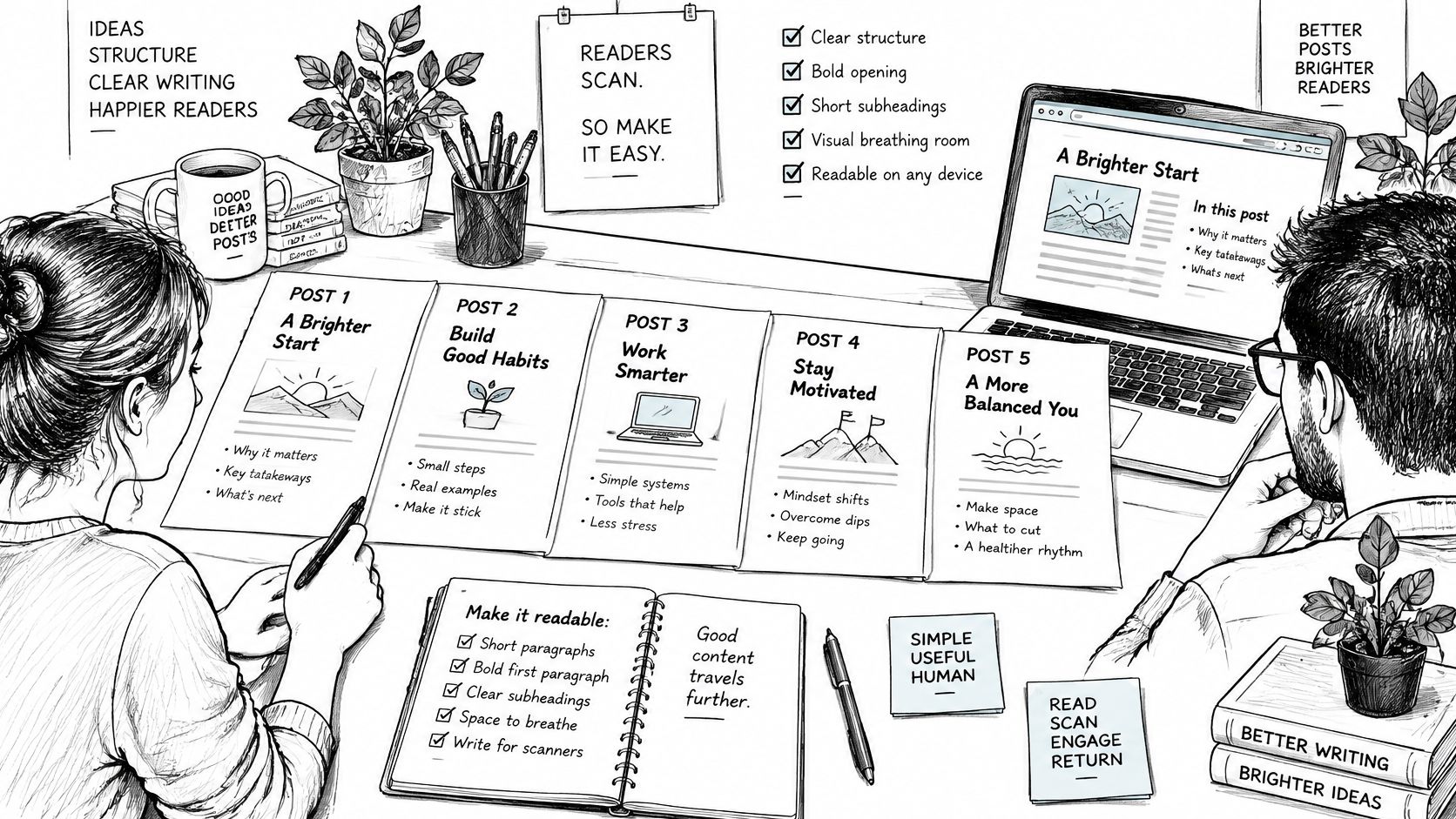
Structure carries more weight than prose style, and there's measurement behind that. Nielsen Norman Group found that 79% of test users scanned new pages while only 16% read word by word, and its controlled comparison measured usability gains of 58% for concise writing, 47% for scannable writing and 124% when all three improvements were combined against a conventional control, according to the NN/g guide to writing for the web.
That single finding reshapes how I'd draft anything.
The four-part shape of a how-to post
- The outcome, stated in the first paragraph. Answer the question before the reader has to scroll. One sentence plus three bullets covers most how-to posts.
- The steps, in execution order. Each step gets the action, the exact setting or input, the expected result, and what to do if that result doesn't appear.
- The problem that usually bites. One paragraph on the most common failure, with the fix. This is the moment a reader decides you've done the task.
- A verification check. How they confirm it worked before they close the tab.
Here's the same structure applied to a real post, start to finish.
Where AI helps and where it hurts
Orbit Media survey reporting cited in this roundup of blogging statistics indicates that 95% of bloggers use AI at least sometimes, but only about 11% use it to write complete drafts, and the ones handing over full articles are among the least likely to report strong results. That gap is the sensible split: generators are strong on breadth and speed, weak on the specifics that make a post worth citing.
Use AI for topic clustering, headline variants, outlines, and a first editing pass on your own draft. Keep the opening answer, the first-hand example and every factual claim in your own hands. Then review line by line for fabricated citations, accidental repetition, claims with no source, cultural assumptions in examples, and headings or image text that leave a screen reader user guessing. Google's own guidance on creating helpful, reliable content is a decent final gate: original, people-first, well organized, and adding something past what already ranks.
The draft is fast. The review is the job.
The same handoff applies if a strong series later grows into a course. An AI course generator can draft lessons, quizzes and narration from a topic or an uploaded document, and the author still owns every correction, which is the workflow this guide to creating an online course with AI is built around.
If a step can't be completed by your target reader without an unstated assumption, it isn't finished. Five posts across two of your categories, one a week, is a realistic first batch. Alternate the format: a how-to, then a comparison, then a troubleshooting post, then a worked example with your own numbers, then a short opinion piece explaining a choice you'd defend.
Publish Your First Post This Week
Pick the title from your list of ten that promises the clearest benefit to the reader you named, write it to the four-part shape, run the review checklist, and publish before Friday. A draft on your laptop teaches nobody anything, and the first post is the only task this week that changes your situation.
Then design that post to earn the visit, because the search result may be all a searcher ever sees. Semrush research cited in recent blogging statistics reporting found that 58.5% of U.S. Google searches ended without a click to an external site in 2025. A short, extractable answer near the top is now table stakes. What earns the click is something a summary can't reproduce: a downloadable template, a calculator, a measured comparison table, or a worked example with your own numbers in it.
Build each post in two layers. The top hundred words hold the direct answer, three bullets and one short table so a search engine or an AI answer can lift the facts cleanly. Everything below that holds the method, the exceptions, the evidence and the examples, which is exactly what a reader needs once the summary runs out.
> Four-week check: judge the post by returning readers, comments, email sign-ups and the number of people who report finishing the steps. Raw sessions is the weakest of those signals.
After four weeks, open the analytics and read it against that list rather than against a traffic target. If people arrive and leave without acting, the answer block is probably fine and the reason to stay is missing. If you're building toward paid teaching rather than page views, this guide to selling courses on Gumroad, Kiwify or Teachable covers the next step. LearningStudioAI can turn a typed topic, or a PDF, PowerPoint, Word or text document, into an editable course with lessons, quizzes, images and narration, then publish it as a hosted link, an embed, a SCORM package or a PDF.
---
Your blog already has the hard part: a narrow reader, a working site and one published post that answers a real question. What usually comes next is the moment a reader asks whether you teach this properly, and that's where LearningStudioAI fits. Type a topic or upload the document you already wrote, review the generated chapters and lessons in the block editor, and publish as a hosted link, an embed, a SCORM package or a PDF. Start with the free editor, then decide whether the course or the blog earns your next hour.